Change the Windows product key
Device administrators can now update the product key on managed Windows devices. The Set Windows Key command from the Windows menu allows you to change the product key on selected Windows devices. The result of this command appears in the Device History view and the Notification panel. If the product key is valid, the command is successful. Providing an invalid key always results in an error.
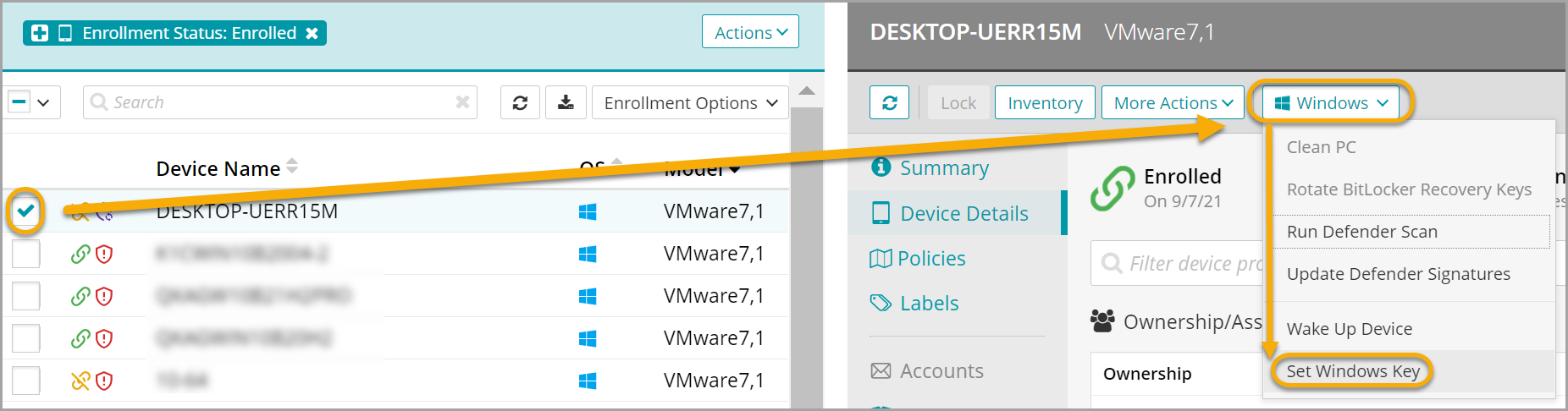
To change the Windows product key:
- Select the Devices tab in top navigation.
- Select one or more Windows devices whose key you want to update.
The details that apply to the selected devices appear in the right panel.
- In the right panel, choose Windows > Set Windows Key.
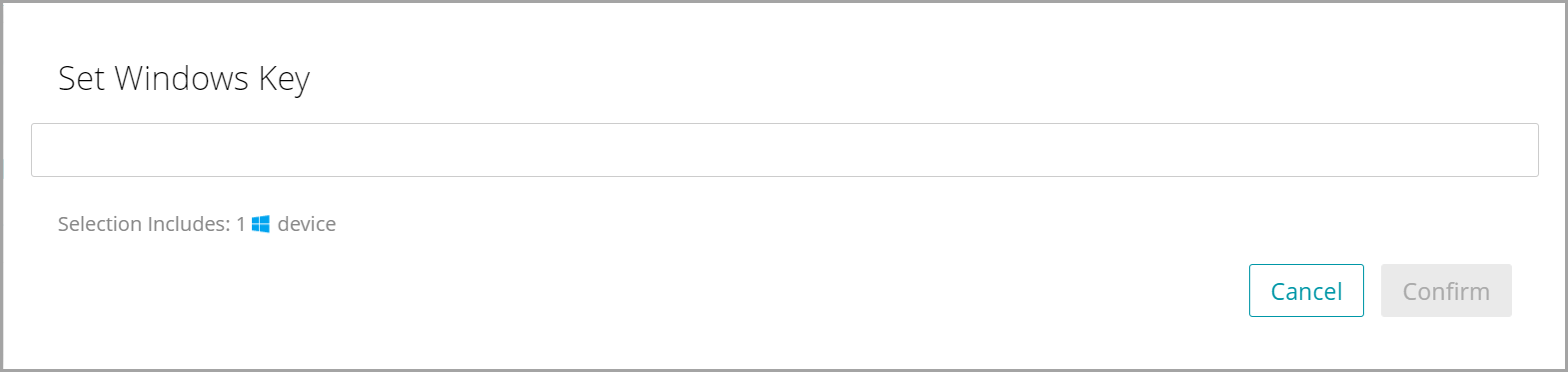
- In the Set Windows Key view that appears, type the new Windows product key, and click Confirm.
At the top of the right panel, a notification appears. If the product key is valid, it indicates that the Windows key change is initiated on each applicable device. Providing an invalid key results in an error. This information also appears in the Device History view and the Notification panel.
-
To verify that the product key is valid, on the target device, go to Windows Settings, and review the Activation settings.
Troubleshooting
General KACE Cloud errors appear in the Windows Event viewer under Microsoft-Windows-DeviceManagement-Enterprise-Diagnostics-Provider/Admin.
For example, providing an invalid key (such as 1111111111) causes KACE Cloud to log Error: 500 Command failed.

As a result, the following information to appear in the Device Event viewer:
Microsoft-Windows-DeviceManagement-Enterprise-Diagnostics-Provider/Admin: MDM ConfigurationManager: Command failure status. Configuration Source ID: (DB62D586-D47F-479B-90B4-88BE970BEFC9), Enrollment Name: (MDMFull), Provider Name: (WindowsLicensing), Command Type: (Execute), CSP URI: (./Device/Vendor/MSFT/WindowsLicensing/ChangeProductKey), Result: (The parameter is incorrect.).
KACE Cloud logs the same error (Error: 500 Command failed) if the key used does not match the specific Windows edition. For instance, if you provide a Windows 11 Enterprise key for a Windows 11 Enterprise N system. This causes the following error in the Device Event viewer:
Microsoft-Windows-DeviceManagement-Enterprise-Diagnostics-Provider/Admin: MDM ConfigurationManager: Command failure status. Configuration Source ID: (6DEC64B2-8D88-437E-A129-7B86FD1C3409), Enrollment Name: (MDMFull), Provider Name: (WindowsLicensing), Command Type: (Execute), CSP URI: (./Device/Vendor/MSFT/WindowsLicensing/ChangeProductKey), Result: (Unknown Win32 Error code: 0xc004f050).